
When Redis goes down, does your app die?
The Problem: The App Dies
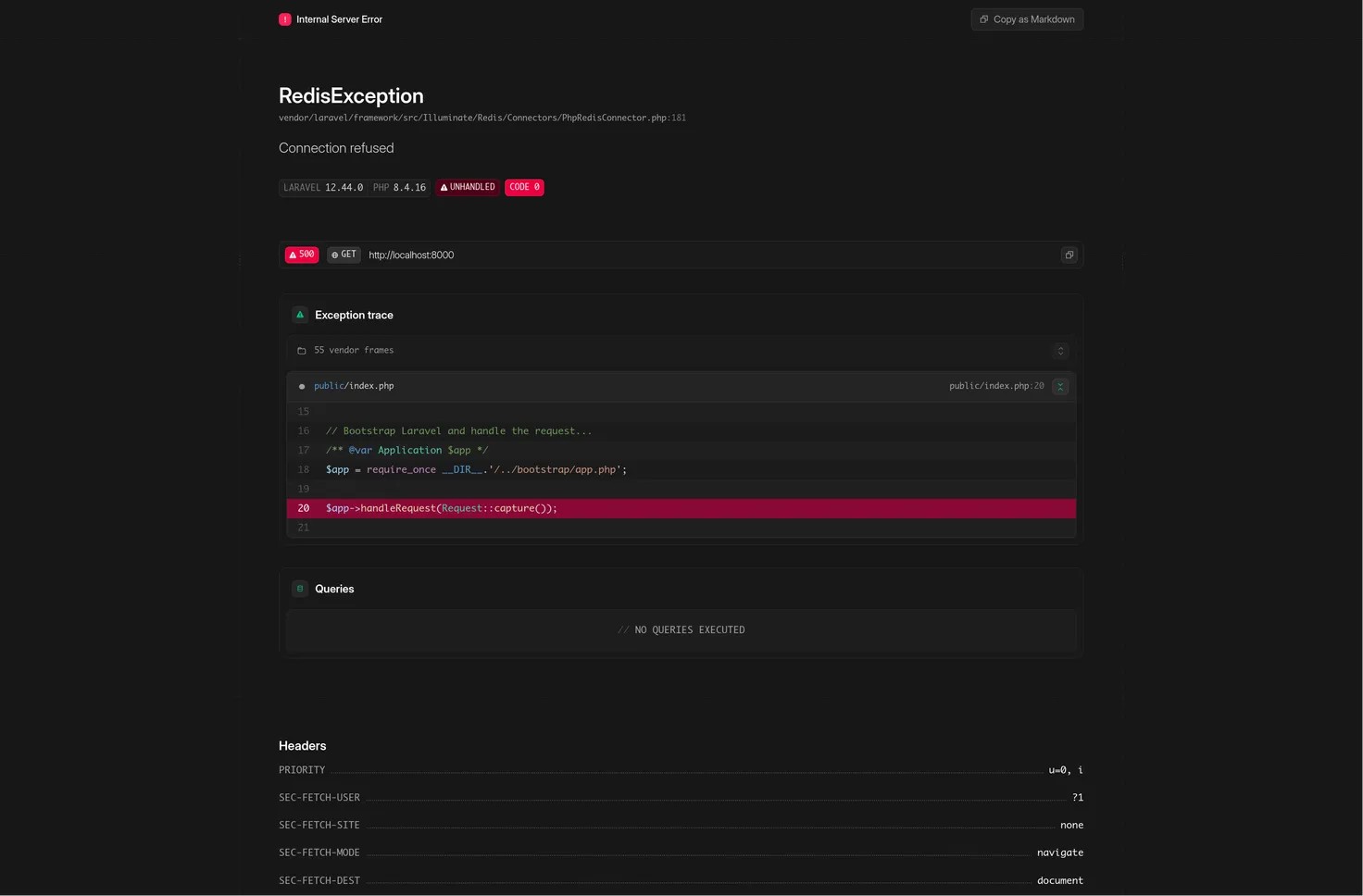
There was an incident that caused our application to fail because our Redis cache went down. It was in the middle of moving to a larger compute instance to handle a higher load, and since we only had one replica at the time, the cache became completely unavailable.
The issue is that Laravel, by default, assumes your cache is always there. If Redis dies, the standard Cache::remember throws an exception and crashes the request with a 500 Internal Server Error. While it's terrible idea in production environment and should be addressed in different manner. I figured why not try to attempt resolving this within the software-level.
If we want to prioritize functionality over speed, we need to implement graceful degradation. This is a software design principle where, if a service like Redis fails, the system falls back to a slower but reliable method—like querying the database directly—instead of failing catastrophically. The goal is for the system to continue operating, even if it's with reduced performance.
Resilient Cache-Aside
The most straightforward way to handle this is wrapping your cache logic in a try-catch block. It’s a quick fix that looks something like this:
trait ResilientCacheAside
{
    protected function rememberSafe(string $key, Closure $callback, int $ttl = 100)
    {
        try {
            $value = Cache::get($key);
            if (!is_null($value)) return $value;
        } catch (\Exception $e) {
            \Log::error("Cache read failed: " . $e->getMessage());
        }

        $value = $callback();

        try {
            if (!is_null($value)) {
                Cache::put($key, $value, $ttl);
            }
        } catch (\Exception $e) {
            \Log::error("Cache write failed: " . $e->getMessage());
        }

        return $value;
    }
}
While this saves the app from crashing, it introduces a new problem: timeouts. The application still has to wait for the Redis connection to time out before it triggers the exception. This adds latency to every single request while the cache is down, significantly degrading the user experience.
The Circuit Breaker Pattern
A much nicer approach I liked is the Circuit Breaker pattern.
It tracks failures over time. Once a threshold is reached, the circuit opens, and the app skips the cache entirely for a set period, heading straight to the database. This eliminates the timeout delay for users. After a cooling off period, the circuit enters a half-open state to see if Redis is back up. If it is, the circuit closes and normal operations resume.
Instead of writing all this logic from scratch, I found a solid PHP library called Ganesha that handles it beautifully.
The Implementation
First, install the library:
composer require ackintosh/ganesha
Then, I created a CircuitBreakerService. One key detail here is using the APCu adapter to store the circuit state. It would introduce a circular dependency if you store your Is Redis down? logic inside the Redis itself.
class CircuitBreakerService
{
    protected array $breakers = [];

    protected function getBreaker(string $serviceKey): Ganesha
    {
        if (!isset($this->breakers[$serviceKey])) {
            $this->breakers[$serviceKey] = Builder::withRateStrategy()
                ->adapter(new Apcu())
                ->timeWindow(10)  // Monitor failures over the last 10 seconds
                ->failureRateThreshold(10) // Open circuit if 10% of requests fail
                ->minimumRequests(5)  // Don't trigger until at least 5 requests are made
                ->intervalToHalfOpen(15)  // Wait 15s before checking if Redis is back
                ->build();
        }
        return $this->breakers[$serviceKey];
    }

    public function execute(string $serviceKey, callable $primary, callable $fallback): mixed
    {
        $breaker = $this->getBreaker($serviceKey);

        if ($breaker->isAvailable($serviceKey)) {
            try {
                $result = $primary();
                $breaker->success($serviceKey);
                return $result;
            } catch (Throwable $e) {
                $breaker->failure($serviceKey);
                return $fallback($e);
            }
        }
        return $fallback();
    }
}
In Ganesha, the $serviceKey is just a unique string used to track the failure rate of a specific resource. By using different names (e.g., redis_cache vs external_api), you can trip the breaker for one service without affecting others.
Usage in the Application
Now, I can use this service inside my AnalyticsService to make my dashboard resilient:
public function getLowQuantityProducts(int $threshold = 10): stdClass
{
    return $this->circuitBreaker->execute(
        'redis_cache',
        fn() => Cache::remember("analytics.low_quantity.{$threshold}", 3600,
            fn() => $this->productService->getLowQuantityProducts($threshold)
        ),
        fn() => $this->productService->getLowQuantityProducts($threshold)
    );
}
Testing
I tweaked the configuration a bit and reduced the values in the getBreaker method for this demonstration.
During my testing, the data was retrieved from the cache as expected while everything was healthy. Once I stopped the Redis container and refreshed the site, the app promptly switched to the database, confirming the fallback was working.
After a short while, I started the Redis container again. The circuit closed, and the app returned to normal operation, pulling data from the cache once more.
Final Thoughts
In testing, the transition is seamless. When Redis is up, we get the speed of the cache. When I simulate a Redis failure, the circuit trips, and the app continues to serve data from the DB without hanging on the usual timeouts.
One big limitation I realized: if you store your Sessions in Redis, this approach doesn't automatically fix those. The site would still crash if Redis goes down. Sessions are a bit more complex because Laravel's session driver is loaded very early in the request lifecycle, long before the service classes are initialized.
To handle that, we’d likely need to write a custom session driver that can fall back to the database or another store on the fly. I still need to explore that further, so that’s definitely a topic for another article.